
Is naps2 Safe? A Thorough Security and Privacy Assessment
Is naps2 safe to install? We examine its open-source code, privacy, digital signatures, antivirus results and how to avoid unsafe copies.
Read article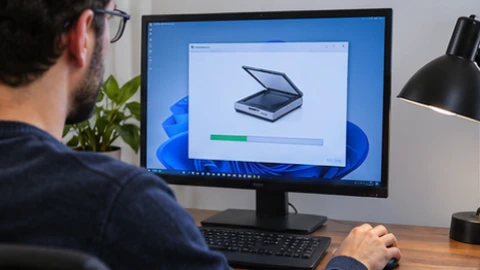
Searching for a naps2 download returns dozens of mirrors, repackaged installers and outdated copies. This article explains every legitimate option, which file suits which computer, and how to confirm that what you downloaded is genuine.
naps2 is free, open-source software, and that openness is one of its greatest strengths. It also means, however, that anyone may legally redistribute it. Most redistributors are harmless, but some third-party download portals wrap free programs in their own “download managers”, attach optional offers or host versions that are several years out of date. None of these problems affect naps2 itself; they arise solely from where the file was obtained.
Check your operating system and processor architecture before choosing a package. A standard installer suits a permanent setup; a portable package can be useful when you need to run the application from a separate folder.
Review the project’s current release notes and download details before installing. After setup, connect your scanner, create a profile and save a test PDF. See the installation guide for the next steps.
A clean naps2 download therefore begins with a trustworthy source. The safest options are the project’s own release channels: the project repository on GitHub, the official website, the Microsoft Store, and Flathub for Linux. Each publishes the same software, and each is updated promptly whenever a new version appears.
At the time of writing, the active series is naps2 8, with version 8.6.1 released in October 2026. The 8.x line modernised the application considerably: it introduced a scanning sidebar for quick profile changes, improved performance, refreshed the interface and brought native builds for Apple Silicon and ARM64 Windows.
The previous series, naps2 7, concluded with version 7.5.3. It remains relevant for one specific group: people using 32-bit Windows or very old versions such as Windows 7 and 8. naps2 8 dropped support for those systems, so 7.5.3 is the final release that runs on them. For everyone else, the latest 8.x build is the correct choice.
Windows users have the widest choice of packages. Each contains the same application, but they suit different situations:
If you are unsure which processor your PC uses, open Settings → System → About and look at “System type”. An entry reading “x64-based processor” requires the x64 installer, while “ARM-based processor” requires the ARM64 build.
On a Mac, naps2 is distributed as a universal package that runs natively on both Apple Silicon (M-series) and Intel processors. After downloading, open the package and drag naps2 into the Applications folder. The first time you launch it, macOS may ask you to confirm that you wish to open an application downloaded from the internet; approve it once and it will open normally thereafter.
macOS also asks for permission to use the scanner and, for network scanners, to access devices on the local network. Granting both is essential; without them, naps2 cannot see your hardware even though it is working perfectly.
Linux users can choose between three formats. The Flatpak package from Flathub is the most universal: it works on almost every distribution, runs in a sandbox and updates alongside your other Flatpak applications. Install it with:
flatpak install flathub com.naps2.Naps2Alternatively, native .deb packages suit Debian, Ubuntu and Linux Mint, while .rpm packages suit Fedora, openSUSE and similar distributions. Native packages integrate slightly more directly with the system’s SANE configuration, which some users prefer when working with unusual scanner backends.
The download button on this page starts the official Windows x64 installer download. The source archive is a separate option on GitHub for readers who want to inspect the code or build naps2 themselves. The archive contains application code, the scanning toolkit and project documentation. For day-to-day scanning, choose the installer or portable package that matches your operating system and processor.
If you simply want to scan documents, you may prefer a pre-built installer from the project’s releases. Both originate from the same repository, so whichever you choose, you are obtaining naps2 directly from its author rather than from an unknown intermediary.
Verification takes less than a minute and offers genuine peace of mind. On Windows, right-click the installer, choose Properties and open the Digital Signatures tab. A valid signature shows that the file has not been altered since it was signed. You can also scan the file with Microsoft Defender or your preferred antivirus.
For a more technical check, compare the file’s SHA-256 hash with the value published alongside the release. In PowerShell, run:
Get-FileHash .\naps2-setup.exe -Algorithm SHA256If the two values match exactly, your copy is identical to the official one.
Both routes deliver the same naps2 application, but they behave differently over time. The traditional installer gives you full control: you decide when to update, you can keep a copy of the setup file for offline reinstallation, and it works on machines where the Store is disabled by policy. The Microsoft Store edition, by contrast, updates itself silently in the background and installs without a separate setup wizard, which suits people who prefer not to think about maintenance at all.
In managed workplaces, the Store is sometimes blocked, and administrators generally prefer the MSI package because it integrates with deployment tools. At home, either option is perfectly sound; choose whichever matches how you normally keep software current.
naps2 is updated regularly with driver fixes, interface improvements and occasional security hardening. Recent releases, for example, resolved an issue in which Windows Smart App Control blocked one of the program’s image libraries. Staying current therefore improves both reliability and compatibility with new versions of Windows and macOS.
The simplest approach is to allow naps2 to check for updates. When a notification appears, close the application, download the new installer from the same official source and run it over your existing installation. Profiles, OCR languages and preferences are preserved, so the process takes only a minute. Linux users on Flatpak receive updates automatically with flatpak update.
Beyond the official channels, naps2 is available through several reputable package managers. On Windows, winget and Chocolatey both carry it, which is convenient for people who manage software from the command line:
winget install Cyanfish.NAPS2These repositories fetch the genuine installer published by the project maintainer, so they are safe. Large, long-established download sites are usually acceptable as well, provided they offer the original file rather than a wrapper. The sources to avoid are those that insist on their own “download assistant”, display aggressive pop-ups or charge for software that is free. When in doubt, return to GitHub or the official website, where the provenance of the file is never in question.
naps2 is compact by modern standards. Windows installers generally fall between roughly 35 and 60 MB according to architecture and package type, and the installed application occupies a little more once extracted. OCR language files are downloaded separately from inside the program; each typically adds between a few and several tens of megabytes, so selecting only the languages you need keeps the footprint small. Allow around 400 MB of free space for a comfortable installation with two or three OCR languages and room for temporary files during large scans.
Once naps2 is installed, spend two minutes creating a profile. Open Profiles, choose Add, select a driver and your scanner, and set a resolution of 300 DPI for documents. Name the profile descriptively – “Office PDF, greyscale”, for instance – so that you can recognise it instantly later. From then on, scanning is a single click.
It is also worth enabling OCR and downloading your preferred language data immediately, so that every PDF you create is searchable from the start. Our separate guides on OCR and batch scanning cover these steps in detail.
Yes. naps2 is released under the GPL licence and costs nothing for any purpose. There is no premium edition; any site charging for it is not affiliated with the project.
Most Windows 11 PCs need the x64 installer. Choose the ARM64 build only if your device has an ARM-based processor.
Yes. The portable archive runs directly from a folder or USB drive without installation or administrator rights.
Installers are typically between 35 and 60 MB, according to the platform and package type. OCR language data is downloaded separately within the program.
Yes. Run winget install Cyanfish.NAPS2 in a terminal to install the current release from the official package.
A safe naps2 download is simple once you know where to look. Choose the package that matches your operating system and processor, obtain it from the project’s own channels, and verify the signature or hash if you wish to be thorough. With that done, you will have a fast, free and reliable scanner application ready to turn paper into searchable PDFs.
Download naps2 for Windows (x64)
Is naps2 safe to install? We examine its open-source code, privacy, digital signatures, antivirus results and how to avoid unsafe copies.
Read article
Does naps2 support 32-bit Windows? Learn which naps2 version works on 32-bit systems, Windows 7 and 8, and how to keep older PCs scanning reliably.
Read article
Step-by-step naps2 32-bit download article: where to find naps2 7.5.3, installer versus portable, verification and setup on 32-bit Windows.
Read article